
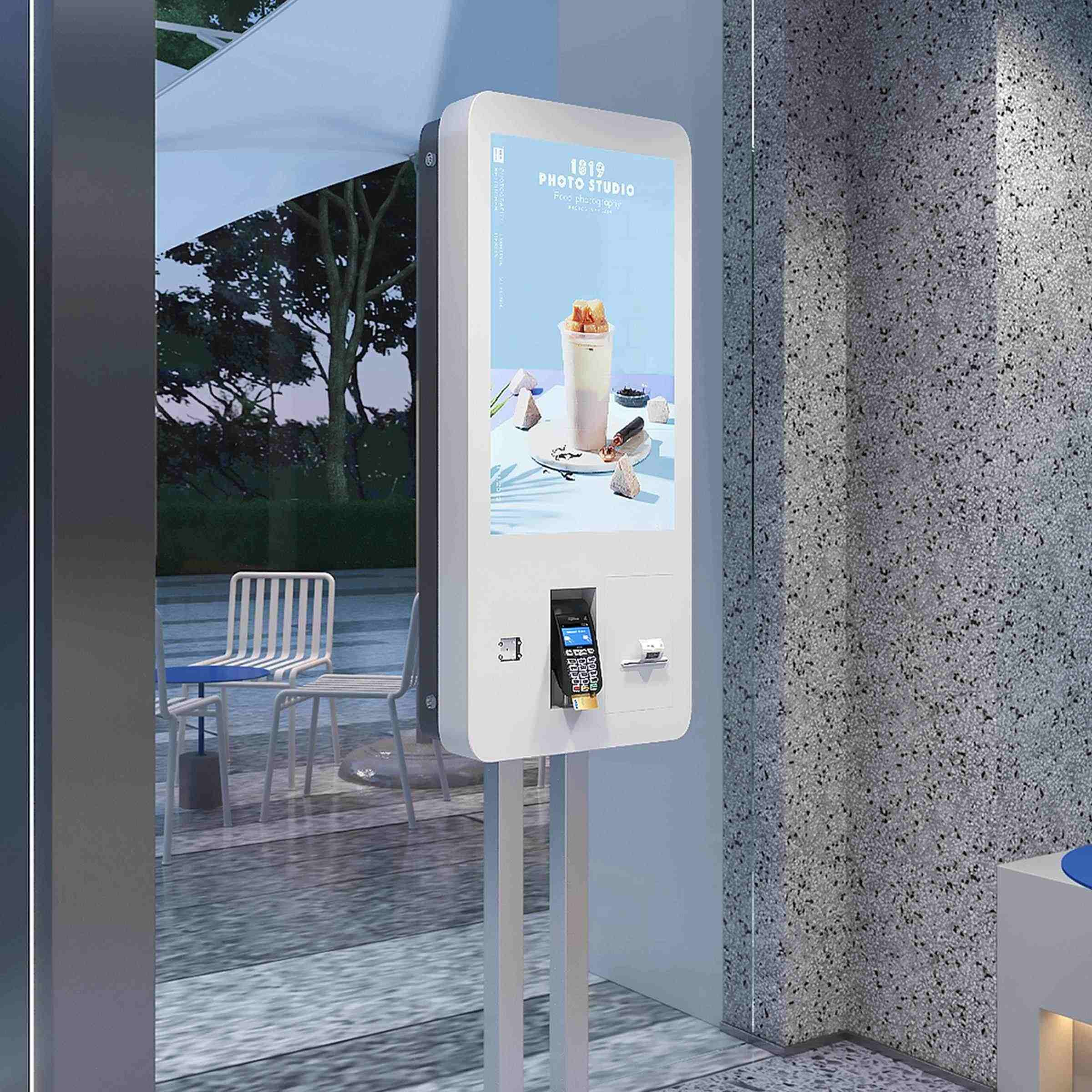
A digital kiosk may appear to be a simple interactive display, but the screen is only one part of a complete commercial solution. Behind the visible interface are multiple components working together, including display hardware, computing systems, touch modules, connectivity features, power systems, and structural components.
For businesses planning retail, hospitality, banking, or other commercial projects, understanding what is inside a kiosk helps buyers select the right configuration for their applications. As a signage manufacturer providing customized commercial display solutions, Cosun Sign develops digital signage products that combine hardware design, software integration, and application-focused customization for different business environments.
The Screen Provides the Interface, But Not the Entire Experience
The display is the most recognizable part of a kiosk. It presents menus, advertisements, directions, product information, or service interfaces that visitors interact with.
However, choosing a suitable display involves more than selecting a screen size. Brightness, viewing distance, installation environment, screen orientation, and interaction requirements all influence the final design. For example, a self-service ordering terminal in a restaurant may require a different configuration from an information directory installed in a shopping mall.
A commercial kiosk must also balance visual performance with durability. Indoor applications may focus on appearance and user interaction, while outdoor projects often require additional protection against environmental conditions. Cosun Sign’s outdoor kiosk solutions can feature rugged enclosures, tempered or laminated safety glass, weatherproofing, and climate control, depending on the selected model and project requirements.
What Makes a Digital Signage Kiosk More Than a Display?
A digital signage kiosk combines hardware and software components within a single unit. Depending on the configuration, its computing system can support content playback, interactive functions, and communication between connected components.
The internal computer can support applications such as product searches, customer self-service, digital directories, promotional displays, or ordering systems. Depending on project requirements, the hardware configuration may vary according to processing needs, software compatibility, and connected devices.
For commercial buyers, the computing platform is an important consideration because its specifications and software compatibility affect operating performance and the ability to support future updates or additional functions.
Touch Systems and Additional Hardware Expand Functions
Many modern kiosks include touch functionality to allow direct interaction. A touch layer enables visitors to select options, browse information, complete forms, or access digital services without assistance from staff.
Beyond touchscreens, kiosks can also include optional peripherals depending on the application. Examples include payment devices, barcode scanners, printers, cameras, or audio components. These additions are not universal features but are selected according to the business process the kiosk needs to support.
For example, a retail store may use an interactive kiosk to help customers check product details, while a hotel may configure a kiosk for guest information or self-service functions. These applications can be used in commercial environments such as restaurants, banks, hotels, and retail spaces, helping customers access relevant information and services through interactive displays.
Internal Structure Supports Reliable Operation
The enclosure is another important part of kiosk design. It protects internal components while creating a suitable appearance for the installation environment.
A well-designed enclosure needs to consider several factors, including component placement, cable management, ventilation, maintenance access, and stability. In commercial spaces, the physical appearance also affects how well the kiosk fits into the overall brand environment.
Customization is often required because businesses may have different requirements for size, shape, materials, branding elements, and installation methods. Cosun Sign provides customizable kiosk designs to match different project needs and commercial environments.
Connectivity Enables Smarter Content Management
Depending on the hardware, software, and network configuration, digital kiosks can connect to content management systems, allowing businesses to update information and coordinate selected displays across different locations.
For companies operating several stores, offices, or commercial sites, centralized management can simplify content updates and improve consistency. Digital signage systems can support functions such as multimedia playback, remote management, and scheduled content updates depending on the selected software platform.
This connected approach allows businesses to use kiosks not only as information terminals but also as part of a broader digital communication system.
Applications Determine the Right Configuration
Different industries require different kiosk designs. A shopping mall may use a kiosk for navigation and customer guidance, while a restaurant may focus on ordering efficiency. Retail stores may use interactive units for product information, promotions, or customer assistance.
When selecting digital kiosks, businesses should consider the intended user journey first. Important questions include where the unit will be installed, what functions users need, whether staff assistance is required, and how content will be managed after deployment.
Cosun Sign provides digital signage solutions for retail stores, office buildings, shopping centers, industrial parks, and other commercial environments. Its product range includes interactive kiosks, digital posters, wayfinding displays, and customized signage systems.
Looking Beyond the Screen When Choosing a Kiosk
A digital kiosk is a combination of multiple technologies working together. The display creates the visual experience, but the internal computer, interaction system, enclosure, power design, and connectivity determine how effectively the product performs in real-world applications.
For businesses, evaluating the complete system rather than the screen alone helps ensure that the selected kiosk matches its intended application, operating environment, and service requirements.
By understanding what is inside a kiosk, buyers can make more informed decisions and choose a solution that matches their operational goals, environment, and long-term requirements.